How to Download Winning Ad Creatives from TikTok and Facebook (2026)
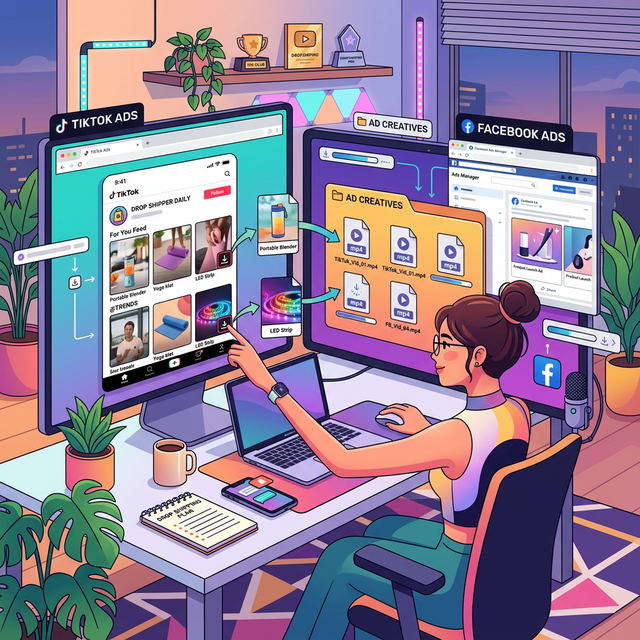
You’re scrolling through the Facebook Ad Library and you finally spot it—a massive competitor running a brilliant, high-converting video ad for a product you dropship. You know this angle works. You want to send it to your video editor as a reference.
So you try to right-click and save it. Nothing happens.
Three days later, the competitor turns off the ad, and it vanishes from the library forever. You lost the reference.
Building a “swipe file” (a folder of high-performing competitor ads) is the foundation of creating profitable dropshipping creatives. But both Meta and TikTok actively prevent you from downloading videos directly from their platforms.
Here is exactly how to bypass those restrictions and download any ad creative from Facebook and TikTok to build your ultimate swipe file.
Why You Need Offline Access to Ad Creatives
If you only bookmark ads or rely on platform links, you are making a massive mistake for three reasons:
- Ads Disappear: The moment an advertiser pauses a campaign or their account gets banned, the ad is wiped from the Ad Library and TikTok Creative Center.
- Video Editors Need Raw Files: You cannot send a Facebook link to your video editor on Upwork and ask them to “recreate the pacing.” They need the raw
.mp4file to pull frame-by-frame inspiration or extract specific B-roll clips. - Internal Organization: True dropshipping operators organize their swipe files by product category, hook type, and emotion in a Google Drive folder. You cannot do this with web links.
How to Download Ads from the Facebook Ad Library
Meta has spent millions making the Facebook Ad Library difficult to scrape. Traditional browser extensions break weekly as Facebook updates their code.
The most reliable method is using a dedicated online tool built specifically for extracting these files.
Step-by-Step:
- Open the Facebook Ad Library and locate the ad you want to save.
- Click “See Ad Details” to open the specific ad page.
- Click the three dots in the top right corner of the ad preview and select “Copy Link” (or just copy the URL from your browser).
- Go to a reliable tool like GetMediaTools, which features a dedicated Facebook Video Downloader.
- Paste the Ad Library link into the downloader and hit “Download.” The tool will extract the raw MP4 file directly to your hard drive.
Pro-Tip: Always download ads in the highest available resolution (usually 720p or 1080p for Facebook ads) so your editor can see the micro-details of the editing style.
How to Download Organic & Paid Ads from TikTok
TikTok presents a different challenge. While some organic videos allow downloads, they always come with the bouncing TikTok watermark. If you send watermarked videos to your editor, it ruins the reference quality.
Furthermore, ads found in the TikTok Creative Center often lack a native download button entirely.
Step-by-Step:
- Find the video on TikTok (either organically on the FYP or via the Creative Center).
- Click the “Share” arrow icon and select “Copy Link”. (If on desktop, just copy the URL).
- Open the TikTok Downloader on GetMediaTools.
- Paste the link. The tool will automatically strip the TikTok watermark and download the clean, raw HD video.
This is incredibly useful if you are compiling a folder of user-generated content (UGC) trends and need clean videos to analyze hook structures without the distraction of platform UI elements.
What to Do With Your Downloaded Creatives
Once you have the MP4 files safely on your computer, don’t just dump them into a random folder. Build a structured swipe file system:
- Folder 1: The Hooks (First 3 Seconds). Clip the best opening hooks and save them here. When testing new CBO campaigns, your hook is the most important variable.
- Folder 2: UGC Examples. Save brilliant user-generated content structures.
- Folder 3: Product Demos. Save clean, satisfying product demonstrations.
When it’s time to launch a new product, you won’t be starting from a blank page. You’ll hand your video editor a curated folder of downloaded ads and say, “Use the hook style from Video 1, the pacing from Video 2, and the call-to-action from Video 3.”
Stop letting your competitors’ best ads disappear. Start downloading and archiving today.
Frequently Asked Questions
Why can't I just save videos directly from the Facebook Ad Library?
Meta actively blocks direct right-click downloads to protect advertiser content. You need to use a dedicated video downloader tool to extract the MP4 file from the Ad Library player.
Is it legal to download competitor ads?
Downloading ads for personal research and building a swipe file is standard practice. However, re-uploading a competitor's exact video as your own ad violates copyright and ad platform policies.
How do I download TikTok ads without the watermark?
You cannot download watermark-free ads directly through the TikTok app. You must use a third-party TikTok video downloader to strip the watermark and save the raw MP4 file.